


Revit. Find and Replace with Mask
Today we released an update of the free Find and Replace plugin for Revit. And although the changes may look small at first glance, they are very significant and take the plugin to a new level of functionality. Now you can use a mask – a special mode that allows you to find and replace parts of text!
For example, you need to change the values of the "View name" parameter from "View-001a", "View-002a", "View-003a" to "View-001b", "View-002b", "View-003b". Just enable the "Mask" mode and use the special symbols! The result is shown in the screenshot.
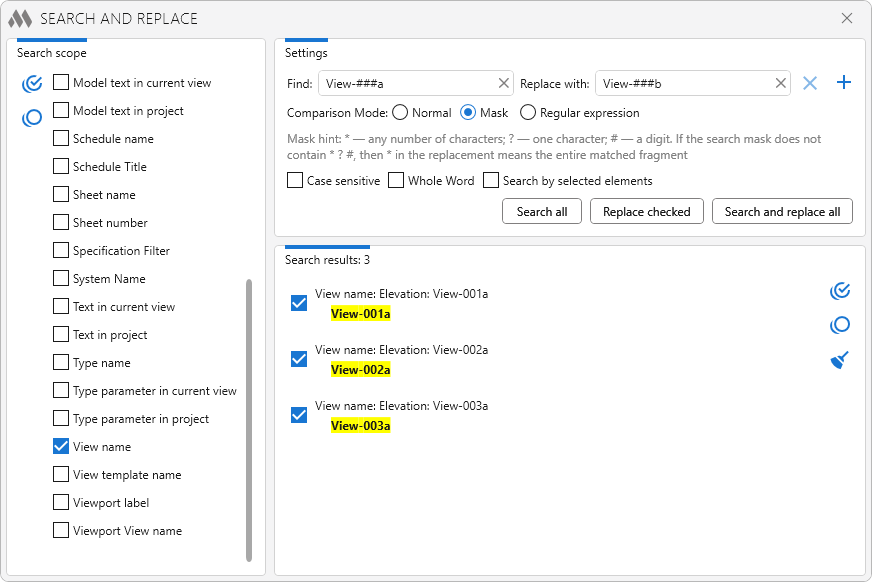
But that’s not all! The plugin now also supports processing filter names, system names, system identifiers, and schedule filters. Multiple search has also been added!
With this new update, your work will become even more efficient. If you have ideas, suggestions, or feedback – write to us!
Enjoy your work with ModPlus!
Multiselect Tree
From time to time, we receive requests like "Make it possible in such a plugin to select multiple items". And in that plugin, a tree view of items is used. We are glad to inform you that we have developed such a UI element, which has a tree display of items and at the same time allows you to select multiple items using the Shift or Ctrl keys!
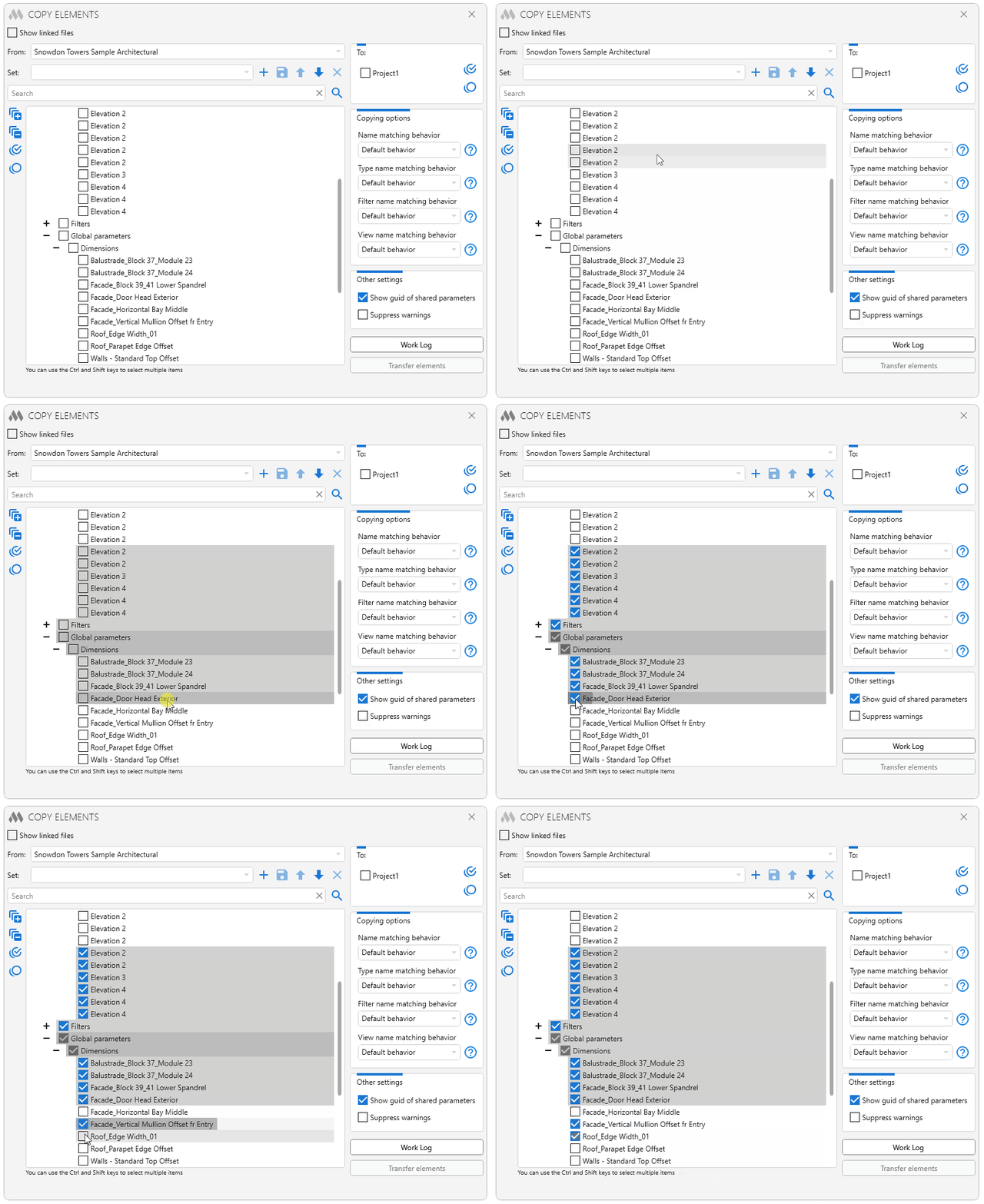
The multiselect tree has been added to the following plugins, which are already available for update:
- Favorite views
- Copy elements
- Copy sheets to documents
- Copy crop extents
- Flipped families
- View filters
- Tagless elements
In the future, when developing new plugins, we will immediately use the multiselect tree if it is appropriate!
Enjoy working with ModPlus!
New plugin for AutoCAD. Assemble table
We are pleased to present a new AutoCAD plugin – Assemble table!
With this plugin, you can assemble an AutoCAD table from standard line and text objects. At the same time, the plugin offers unique features:
- Automatic creation of a header
- Transfer of formatting from line objects to cell borders
- Detection of exploded horizontal fractions
- Detection of text alignment within cells
You can learn more about how the plugin works in our demo video:
https://youtu.be/D7efefoDRrs
Enjoy your work with ModPlus!
Revit. Parameterization. Check
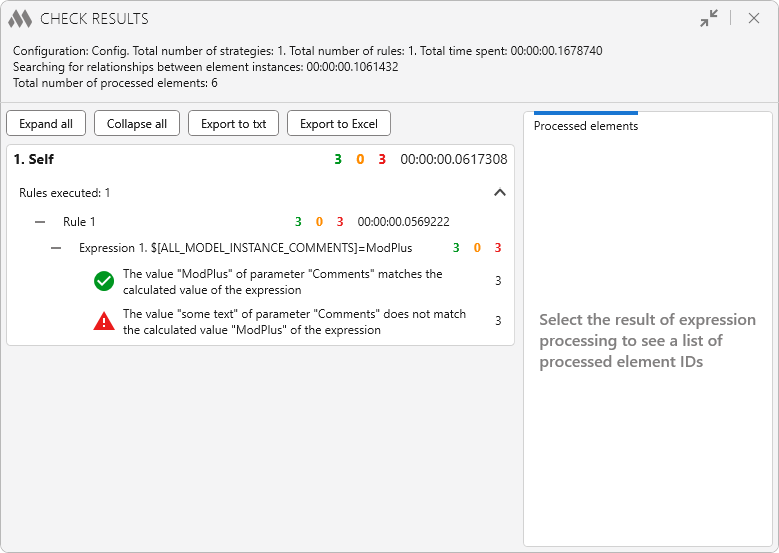
Check — with this concise yet meaningful name we are releasing today’s update of the Parameterization plugin. Below we explain what it means.
New plugin for AutoCAD. Numbering
We are pleased to present a new plugin for AutoCAD – Numbering!
This plugin allows you to number text objects and table cells with a wide range of settings:
- Select objects by type
- Option to manually select objects for numbering, as well as several automated modes
- Various sorting methods
- Ability to number tables horizontally or vertically starting from the selected cell
- Ability to filter objects by layers and colors
- Option to add numbering to the beginning or end of the text
And many more features!
You can learn more about how the plugin works in our new demo video:
https://youtu.be/JgJm_pvKwbg
Enjoy your work with ModPlus!