


Totals

| Name | Discount | Total value of individual orders | Total value of corporate orders |
|---|---|---|---|
| Regular user | 0% | ||
| 3% discount | 3% | $84 | $180 |
| 5% discount | 5% | $120 | $360 |
| 7% discount | 7% | $180 | $600 |
| 10% discount | 10% | $300 | $900 |
| 15% discount | 15% | $360 | $1 200 |
| Partners | 30% | ||
| BIM Consulting | 50% | ||
| Super VIP | 100% |
Call options
- ModPlus floating menu or palette
- Menu, toolbar, or ribbon in nanoCAD
- Command line: _mncTotals
Icon


Using
ATTENTION! For the plugin to work correctly, must be installed: plugin Tables, Data bases version not lower 1.0.0.0
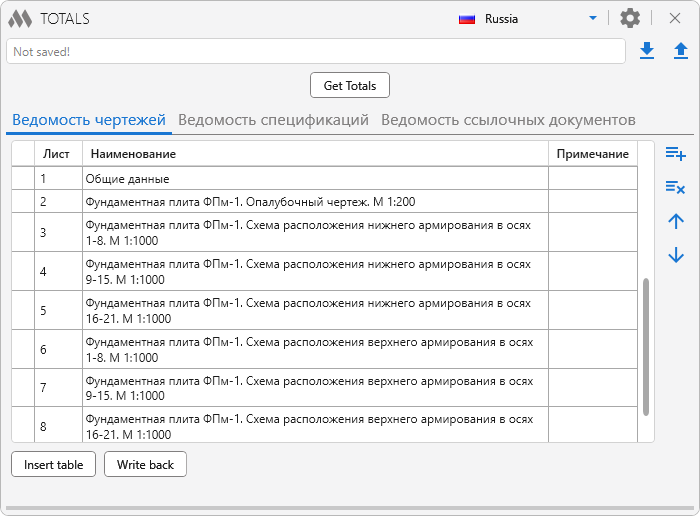
The main window of the plugin can be conditionally divided into three zones: a file with data (top of the window), tables (the main center of the window) and settings (open when you click on the corresponding icon).
In the upper right part of the window, you can select the country according to the norms of which the tables will be inserted.
Data file
All data entered into the tables should be stored in a special file. Otherwise, after closing the plugin window, data will be lost!
The text box displays the name of the data file, if any, and is attached to the current drawing.
 – saving the entered data to a special file. The file name is formed as Drawing name_totals.xml. The file name is saved in the extended drawing data. It is desirable that the drawing has already been saved.
 – reading data from an existing file. The file name is saved in the extended drawing data.
Tables
Contains three tables (Ведомость чертежей, Ведомость спецификаций, Ведомость ссылочных документов) and elements for managing tables, displaying tables, and retrieving data.

 – deletes the selected row in the current table.
 – moves the selected line up one position.
 – moves the selected line down one position.
Insert table – go to AutoCAD to specify a point
Insertion point: – specify a point. The corresponding table will be inserted at the specified point.
Get Totals – opens the data acquisition dialog box. Data can be collected in model space or in specified sheets:
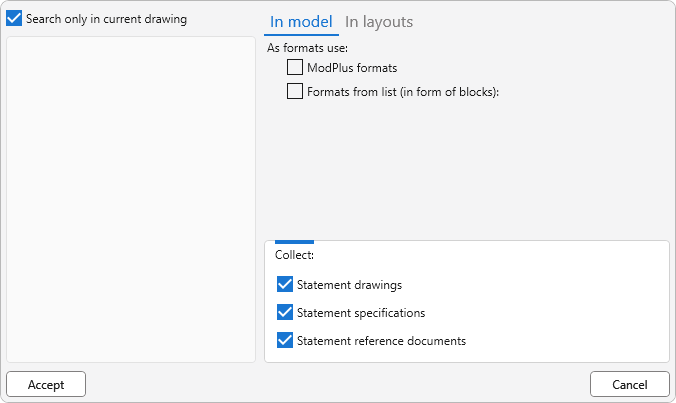
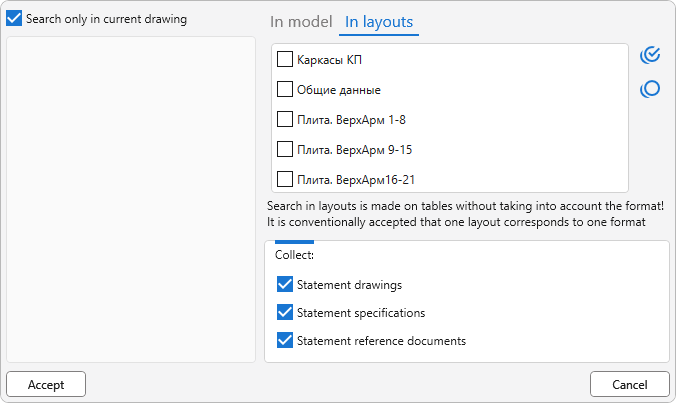
Search only in current drawing – indicates that data is searched only in the current drawing. If the checkmark is unchecked, you can optionally specify open drawings for data search.
In the dialog box, you should configure the parameters for data search:
For tab In model:
ModPlus formats – as formats, the plugin will accept ModPlus formats created by the corresponding plugin Formats.
Formats from the list (in the form of blocks) – as formats, the plugin will perceive the specified blocks.
For tab In layouts:
In the list of layouts you need to check the required layouts.
Select All / Uncheck all – set or clear all checkmarks in the list.
Collect: – indication of relevant data to search. The list of reference documents verifies the matching of the documents available in the database. Search by tables, callouts and texts.
Settings
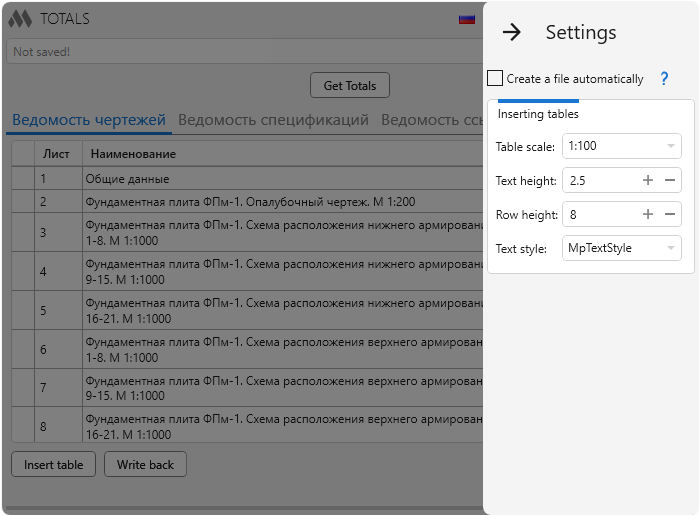
Create file automatically – if this option is enabled and the current document is saved, the general data storage file (Drawing name_totals.xml) will be automatically created in the location directory of the current drawing when the plugin starts.
Inserting tables – property settings for inserted tables: Table scale, Text height, Row height, Text style.