


Revit. Built-in commands: select elements in the beam system, select nested families, set the working plane by family
Not so long ago we presented built-in commands - small commands that are embedded into standard editing panels. And today we are glad to present you new built-in commands, made by requests from our users:
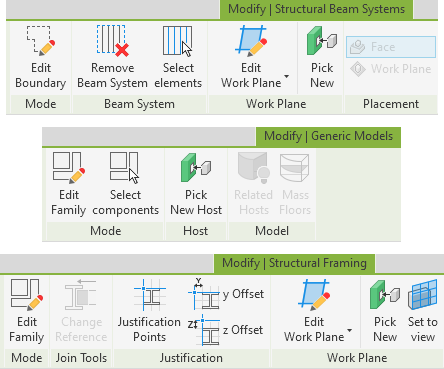
- Select elements - enables you to select the elements included in the selected Beam Systems.
- Select components - enables you to select the components included in the selected Families.
- Set to view - enables you to set the Work Plane of the current element as the Work Plane of the current 3D View. Currently only works for families.
We have also improved the algorithm of selecting elements in groups and now it works recursively - i.e. if a group contains nested groups, the elements of the nested groups will be selected as well.
Enjoy your work with ModPlus!
Revit. Structure to parameter: Reverse result and volume of layers to parameter
Introducing version 2.0 of the Structure to Parameter plugin, which contains two important enhancements:
Reverse result
Following a request from our users, we have added the ability to write a reversible result - i.e. in reverse order - to a specified multiline parameter. To do this, you just need to specify an optional target parameter:
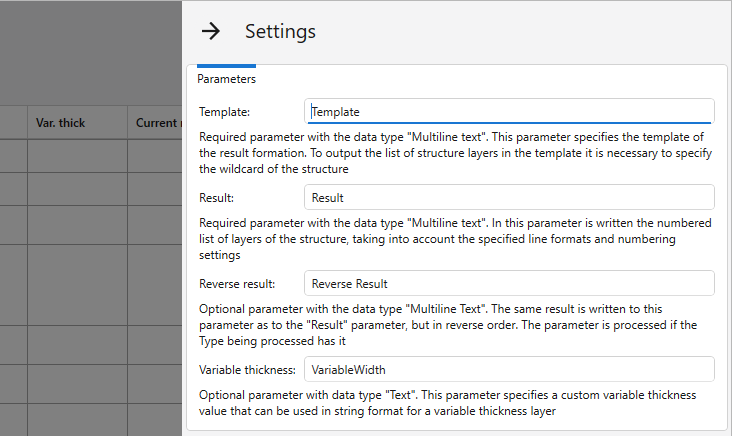
If the parameter is specified and exists at the type, it will be filled in.
New plugin for Revit. MEP rotate
Introducing a new free plugin for Revit - MEP rotate!
This plugin will allow you to rotate fittings or parts of the engineering system relative to the connected element by a given angle. The work of the plugin is demonstrated in our short video:
https://youtu.be/KHvEzicM3bA
Enjoy your work with ModPlus!
New plugin for Revit. Type manager
Introducing a new plugin for Revit - Type manager!
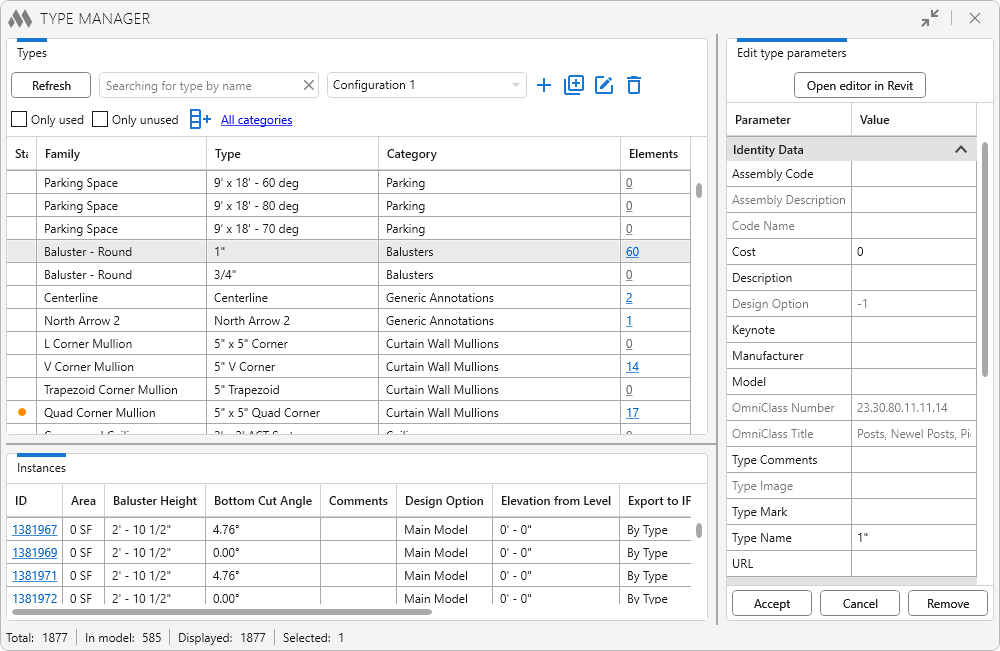
This plugin performs two important functions:
First - it allows you to change values of the same parameters for several Types at once!
Second - it allows you to compare the values of parameters of Types between documents!
At the same time you will be able to sort and filter Types, as well as view parameters of all instances in the model
This plugin is based on the technologies of Development Systems, a strategic partner of ModPlus.
Enjoy your work with ModPlus!
Revit. Built-in commands: open view, select elements in a group or assembly
Sometimes we get requests to develop very small plugins that are designed to perform some small action. We don't want to clutter the ribbon with a lot of such plugins, so we decided to create built-in commands. These are small commands that are displayed in the standard editing panels.
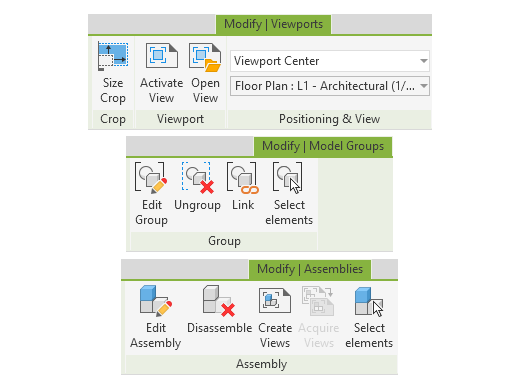
At the moment - release - we have added three built-in commands:
- Open View - enables you to open the selected view in a new tab. This is displayed when viewports are selected.
- Select elements - enables you to select all elements that are part of the selected groups or assemblies. Displayed when groups or assemblies are selected.
Many users may have the question "Why?". Yes, the view can be opened through the Project Manager, and selecting elements in a group is hardly useful, but believe us - there are users who will benefit from all this and who were able to ustify it all to us.
And if you have ideas for such small built-in commands - write to us!
Enjoy your work with ModPlus!