


Toposolid-floor

Show in Revit
Several Revit applications are running. Choose one:
This is a free plugin!
Direct and reverse conversion of toposolid elements into floor
Icon


Related news and articles
Using
The plugin is available in Revit 2024 and later.
After launching the plugin, perform the following actions:
Select toposolids or/and floors – select the elements that need to be converted into floors and/or toposolids.
If elements were preselected in the model before launching the plugin, only those elements will be processed.
After selecting the elements, a dialog box will appear asking whether the source elements should be deleted after conversion:
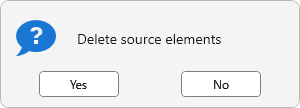
For floors, the default Type defined in the current document will be used. For toposolids, the Type with the lowest ID in the project (i.e., the first created) will be used.

 YouTube