


Fix duplicates

Several Revit applications are running. Choose one:
Icon


Related news and articles
Using
Fix families duplicates
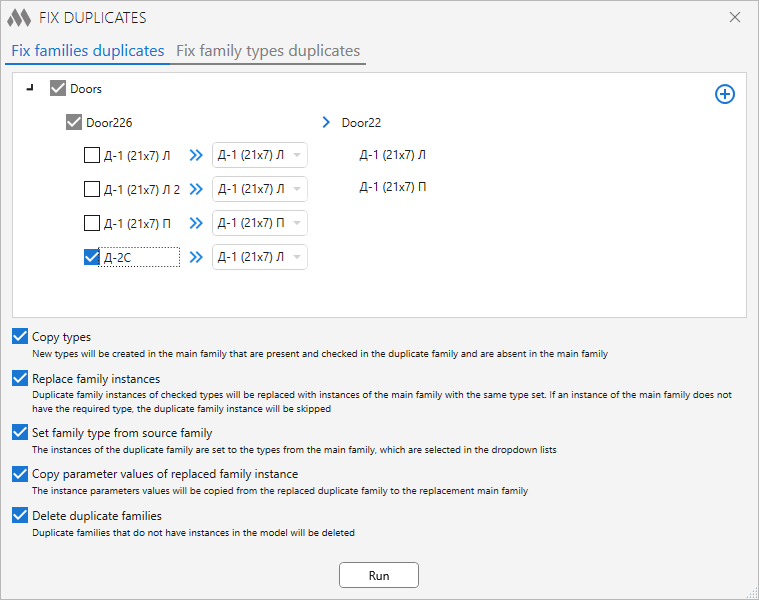
The upper part of the window contains a tree of families grouped by category. Each item contains two families: the duplicate family (on the left) and the main family (on the right). At startup, the plugin searches for duplicate families by the standard mask – "FamilyNameN" (where N is an integer).
 – adding a pair of families to the processing list if duplicate families do not fall into the list using the standard search mask.
Use the following window to add a new pair of families:
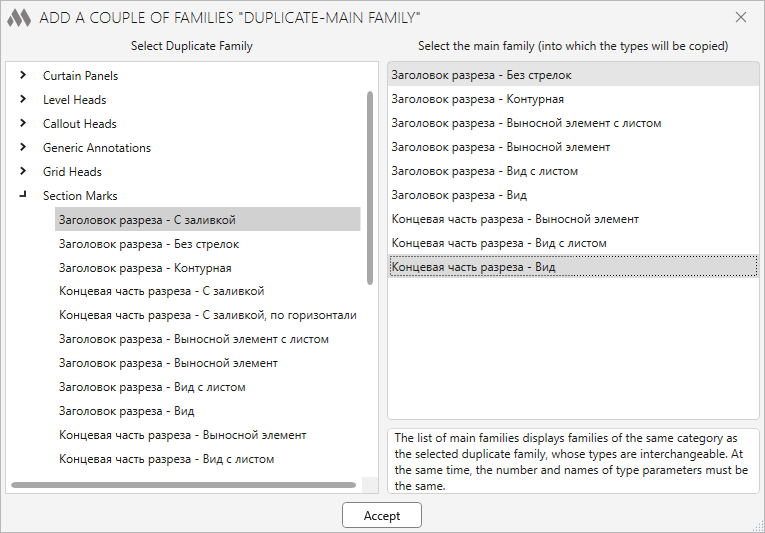
The left part of the window is filled with families grouped by category. Families are displayed in the tree only if the category has at least two families. Also in the list are no families that are already used in the main plugin window. After choosing a duplicate family in the left part on the right, a list of other families will be filled from which you should select the main family.
At the bottom of the main plugin window, specify options for processing:
Copy types – new types will be created in the main family that are present and checked in the duplicate family and are absent in the main family.
Replace family instances – duplicate family instances of checked types will be replaced with instances of the main family with the same type set. If an instance of the main family does not have the required type, the duplicate family instance will be skipped. When this option is enabled, additional options for replacing family instances become available:
- Set family type from source family – the instances of the duplicate family are set to the types from the main family, which are selected in the dropdown list.
- Copy parameter values of replaced family instance – the instance parameters values will be copied from the replaced duplicate family to the replacement main family.
- Delete duplicate families – duplicate families that do not have instances in the model will be deleted.
Run – execution of all specified options for families whose sizes are marked in the list.
Fix family types duplicates
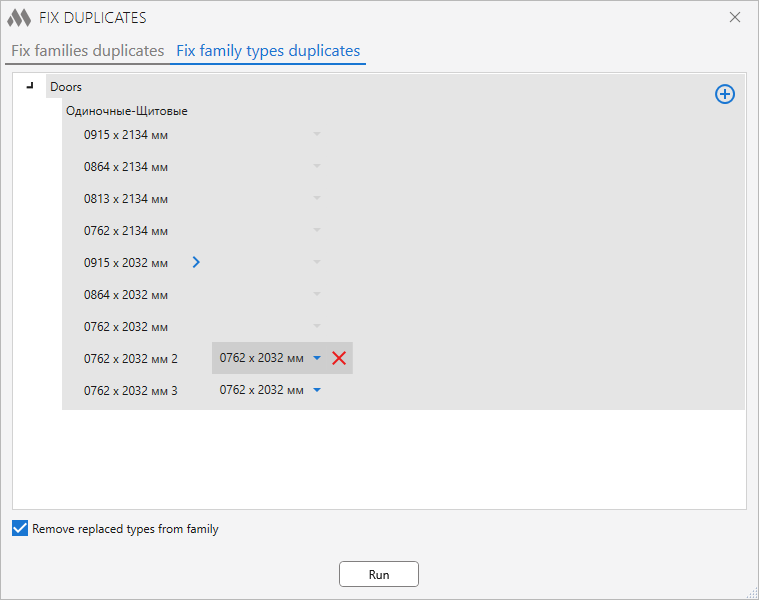
The upper part of the window contains a tree of families, grouped by category. A list of types is displayed for each family. On the right side of the list, there is a drop-down list for choosing a replacement type. If the standard type is not selected in the list, then replacement will not be performed.
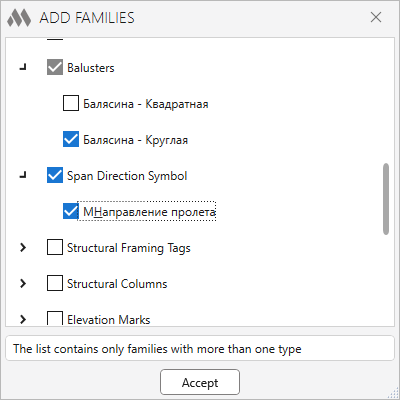
– adding families to the processing list if duplicate family types do not appear in the list using the standard search mask.
To select the added families, use the window in which you need to tick the required families:
At the bottom of the main plugin window, specify options for processing:
Remove replaced types from family – all types of families for which a replacement type is specified will be removed from the family without checking their use in the model.
Run – replacement of types with the specified options.
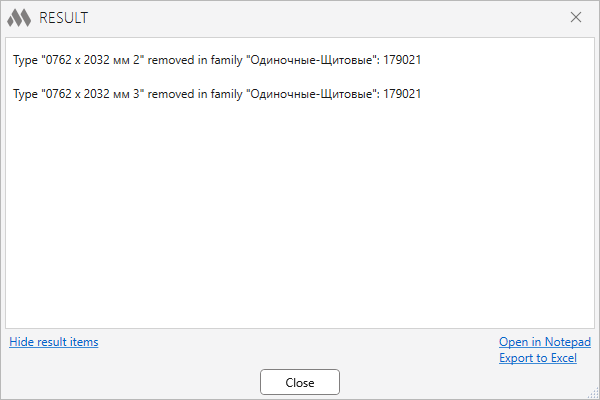
After the replacement of types is done, the window with the results of the replacement will be displayed:

 YouTube