


Search by condition

Launch Options
- Renga main menu
Icon


Related News and Articles
Usage
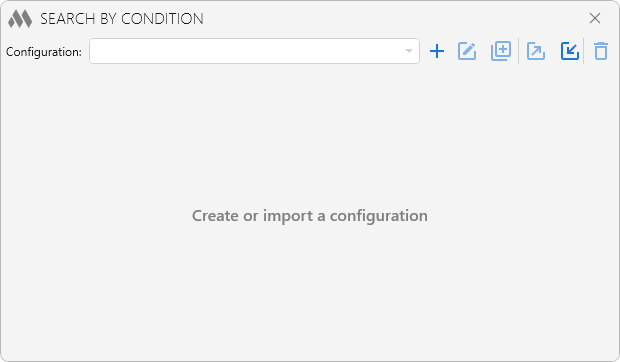
To start working with the plugin, you need to create a configuration by clicking  . You can duplicate
 , rename
 , export
 , import
 and delete
 the created configurations using the corresponding buttons.
The search conditions for objects are set using the Object filter. The object filter includes a filter by type and a filter by attributes, which can be used separately or combined by selecting the logical operator AND/OR.
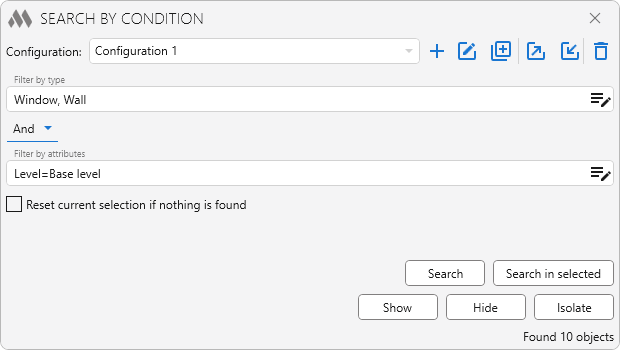
Reset current selection if nothing is found – when this option is enabled, the current selection of objects in the model will be cleared if the search returns no results.
Search – starts the search according to the specified filter conditions. The objects that match the search conditions will be selected in the model.
Search in selected – starts the search according to the specified filter conditions only among the preselected objects.
Show – orients the camera in the 3D scene to fit the objects that match the search conditions.
Hide – hides objects in the model that match the search conditions.
Isolate – hides all objects in the model that do not match the search conditions and displays only those that do.
In Renga versions 5.1–8.7, the search is performed across model objects and all assemblies. In Renga versions 8.8 and higher, the search is performed on objects of the current view (model or assembly).

 YouTube