


Clear formatting

This is a free plugin!
Remove specified formatting from multiline text
Call options
- ModPlus floating menu or palette
- Menu, toolbar, or ribbon in nanoCAD
- Command line: _mncStripMtext
Icon


Using
Select objects containing multiline text: – select objects in the current space. If the selected objects contain processed by the function – multi-line text, multileaders, tables, dimensions or blocks – the window for selecting the format for deletion will open:
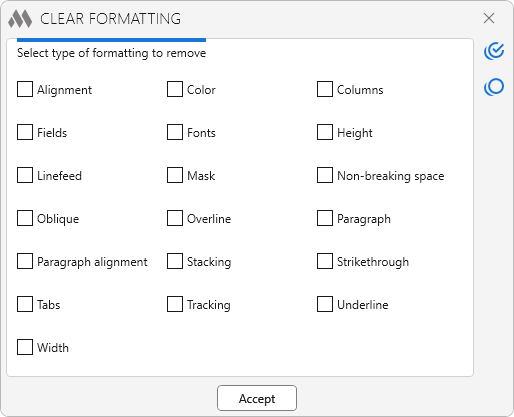
Formatting types are displayed in alphabetical order.
 – select all types of formatting.
 – deselect all format types.
Accept – deletes specified formatting types from selected objects