


Merge Revit sheets

Call options
- ModPlus floating menu or palette
- AutoCAD ribbon
- Command line: _mpRevitSheetsMerging
Icon


Related news and articles
Using
The plugin is focused only on importing drawings resulting from export sheets from Revit.
It is recommended to run the plugin only in an empty drawing so that the imported geometry does not overlap the existing drawing.
When the plugin runs in an unsaved drawing, all layouts in the drawing are deleted.
After launching the plugin, a dialog box with the settings will appear:
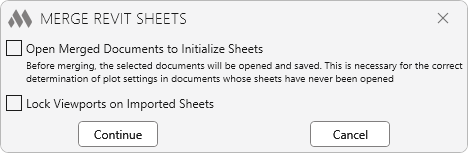
Next, you will be prompted to select the drawings to import. From each selected drawing, the contents of model space will be imported into the model space of the current drawing, and the first layout will also be imported. The model space contents of each subsequent drawing are imported with an offset to the right, and the viewports on the layouts are adjusted to display the corresponding contents.

 YouTube