


Product position

Call options
- ModPlus floating menu or palette
- AutoCAD ribbon
- Command line: _mpPrPosition
Icon


Related news and articles
- New features in the "Products" section
- AutoCAD. Updating the "Specifications" plugin and removing the "Normative base" plugin
Using
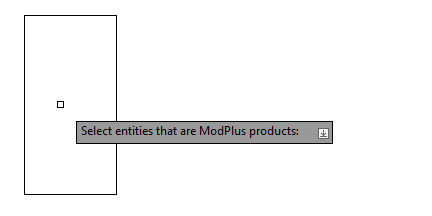
Select entities that are ModPlus products: [Delete] – you should select objects (entities and/or blocks) that are ModPlus products (i.e., having advanced data) or mode Delete. Plugin will process objects containing special advanced data. Further, the plugin will work cyclically, sorting and highlighting objects. In objects that already contain a position, the position will be added automatically.
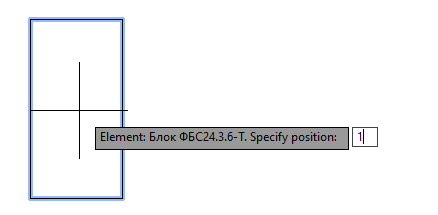
Element: ... Specify position: – you must specify the item position. The position value will be added to the extended data of the object.
Select the type of marking for the product: ... Position: ... [Nothing/Text/Multileader]: – please indicate the branding option for the product.: 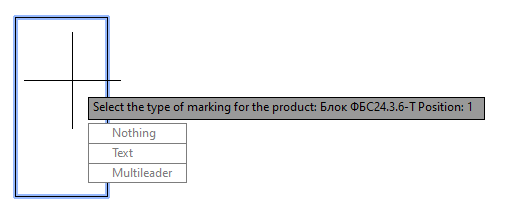
Nothing – mark not put.
Text – mark is inserted as a single line text in the geometric middle of the block.
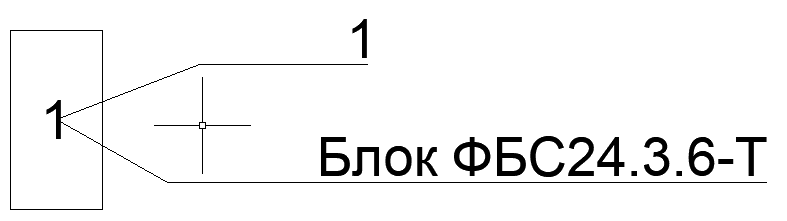
Multileader – mark is put in the form of a multileader.
Delete – removal of item position block from extended data.
Context menu: Multileader with mark
Plugin adds to the context menu to the objects related to ModPlus products (i.e. having advanced data), the item МР:Multileader with mark:
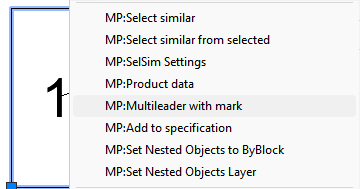
When this item is selected, a multileader will be created with the brand value of the selected product:

 YouTube