
Clear scales

Clear scales
This is a free plugin!
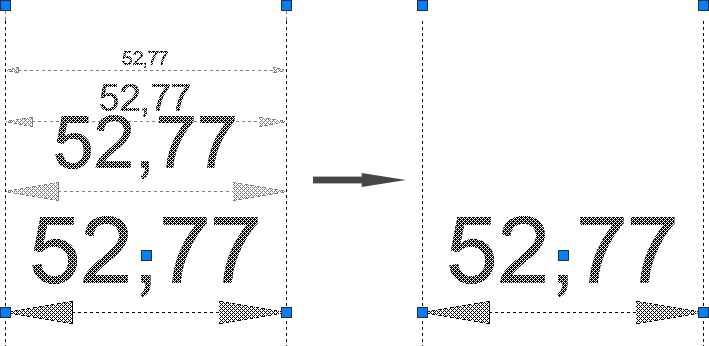
Clearing the list of annotative scales in selected annotative objects while preserving the current scale

Call options

  • ModPlus floating menu or palette
  • AutoCAD ribbon
  • Command line: _mpRemoveAnnotScale

Icon

mpRemoveAnnotScale_32x32 mpRemoveAnnotScale_16x16 mpRemoveAnnotScale_32x32_dark mpRemoveAnnotScale_16x16_dark

Using

Select annotative entities: – election of entities. Annotation scales will be removed for selected entities and the current scale will be set.
1

Fix
Ignoring the "eNotImplementedYet" error when processing objects whose scale list cannot be edited
FIX
Replacement of main function icons adding icons for dark themes the AutoCAD ribbon
FIX
Fixed bug when working with multileaders
FIX
Fixed a bug when installing the scale, not contained in the object